 Fetchly
Everything a download manager should do
Twelve features, one clean window, zero paywalls. Every item below is in the current release, working today — no Pro tier, no unlock codes.
Segmented downloads
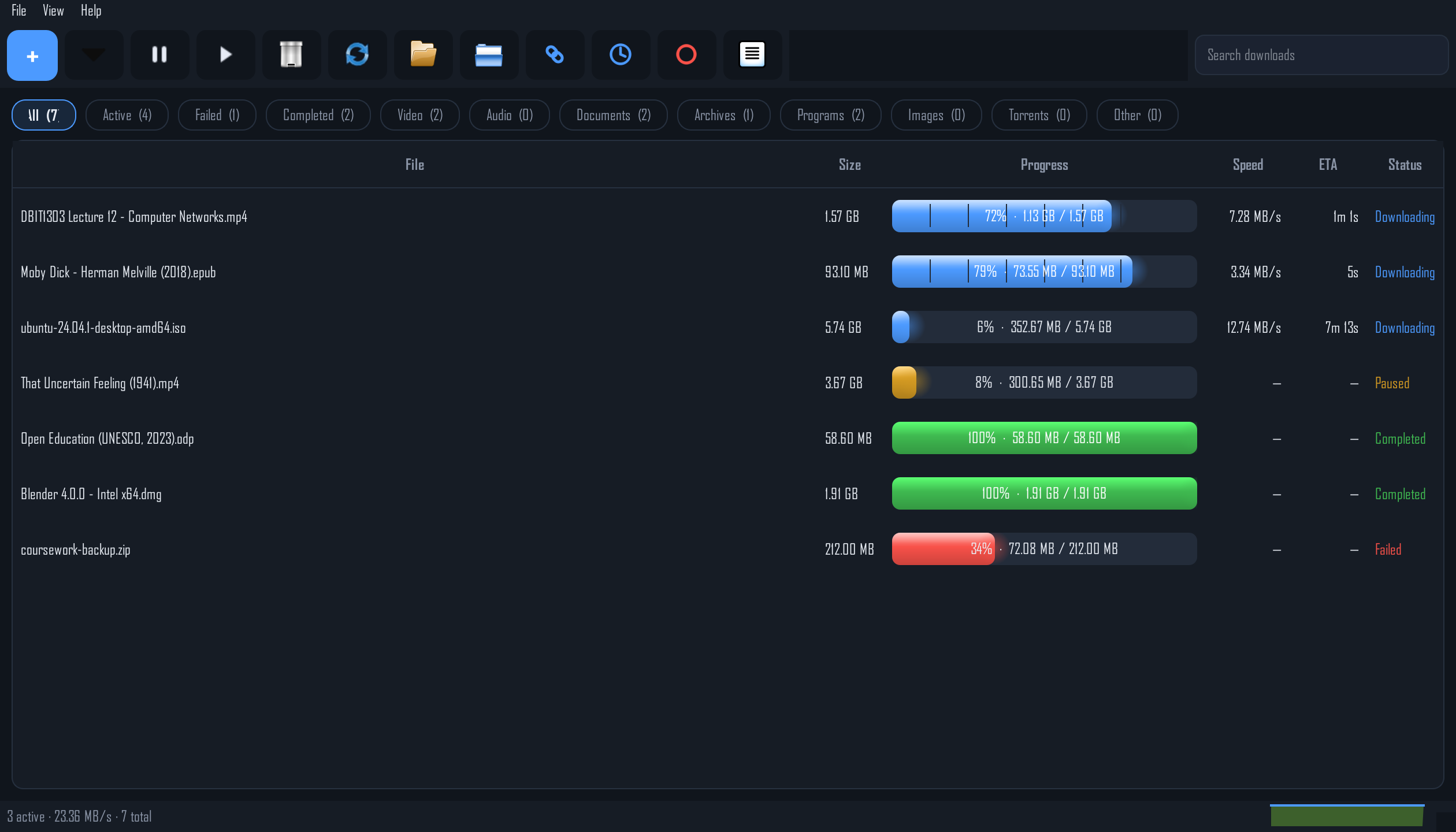
Each file is split into up to 32 simultaneous connections that race in parallel — the same trick that makes IDM fast, with a live per-segment progress bar for every file.
Pause & resume — really
Pause a download, close Fetchly, reboot the PC, come back tomorrow. Resume picks up from the exact byte you left, because state is checkpointed to disk every 10 seconds.
Smart Link Healer
Download links die — expired tokens, rotated URLs. Fetchly's Smart Link Healer uses the page the link came from to revive dead downloads and continue them, instead of failing.
Queue & speed limiter
Line downloads up and cap how many run at once. A global speed limit is shared fairly across everything active, so one big file never starves the rest — or your browsing.
Categories & history
Video, Audio, Documents, Archives, Programs, Images, Torrents, Other — files sort themselves into tag pills with counts, and the full history lives in SQLite, surviving every restart.
Pieces, Speed, Details
A bottom panel with three live views: a per-chunk Pieces map of the selected file, a real-time Speed graph, and a Details tab with URL, save path, connections and resume capability.
Torrents built in
Magnet links and torrent files download inside Fetchly itself — no separate client. Peers, seeds and upload speed show right in the same list as your regular downloads.
Download on a schedule
Set a download window — say 11 PM to 6 AM. Outside the window downloads pause automatically and resume when it opens, so big files land on off-peak hours by themselves.
Clipboard watcher & hotkey
Copy a download link anywhere and Fetchly notices. Or press the global hotkey Ctrl+Alt+D from any app to open the Add dialog instantly.
Drag, drop, done
Drop links straight onto the window. Add a link twice by accident and Fetchly jumps to the existing download instead of starting a duplicate.
Tray & themes
Minimize to the system tray, get a completion toast with Open file / Open folder, and pick dark, light or system theme. Optional launch at Windows startup keeps the queue moving.
Proxy aware
Fetchly honors your system proxy settings automatically, so it works on office, campus and café networks without extra configuration.
Reliability
Built like a survivor
Real networks drop. Power cuts happen. Links expire. Fetchly is engineered for all of it, so a 5 GB download is never restarted from zero because life happened.
Internet drops mid-download
Fetchly backs off and retries automatically until you are back online. A dropped connection is a pause, not a failure.
Power loss or reboot
Progress is checkpointed every 10 seconds. After a blackout, interrupted downloads resume on launch from where they stopped.
Expired signed links
Fetchly re-probes the URL once and continues from the same byte — and Smart Link Healer can revive the link outright from its source page.
Captcha or login walls
If a link returns a login page instead of the file, Fetchly stops with a clear message. Open the link in your browser, solve it, hit Resume — it continues where it stopped.
Under the hood
Watch every byte land
The Pieces tab draws a live block map of the selected file — every chunk, coloured as it completes. The Speed tab graphs your real transfer rate, and the status bar keeps a running total across all active downloads.
- Per-segment bars — each connection's progress, live in the main list.
- Resume capability detection — Fetchly probes the server and tells you upfront whether a file can resume.
- Integrity check — paste an expected SHA-256 when adding a download and Fetchly verifies the file when it finishes.